New · ACExInterview is Free
ACEx AI Overlay
An overlay with AI. Practice for exams better.
Start with ACExInterview, our free real-time AI interview assistant. It hears the question, answers from your resume, and helps with coding questions from a screenshot. Want more? The ACEx Windows overlay helps you practice technical, written, and multiple-choice questions.
ACExInterview is Free · Bring Your Own AI Key · ACEx Free 10-Minute Sessions
New Product
Introducing ACExInterview
FreeA free real-time AI interview assistant for Windows that runs on your own keys. It hears the question, answers from your resume, solves coding questions from a screenshot, and can type the answer for you.
Bring Your Own Keys · Real-Time Answers · Screenshot Coding Questions · Auto Typer
Before & After
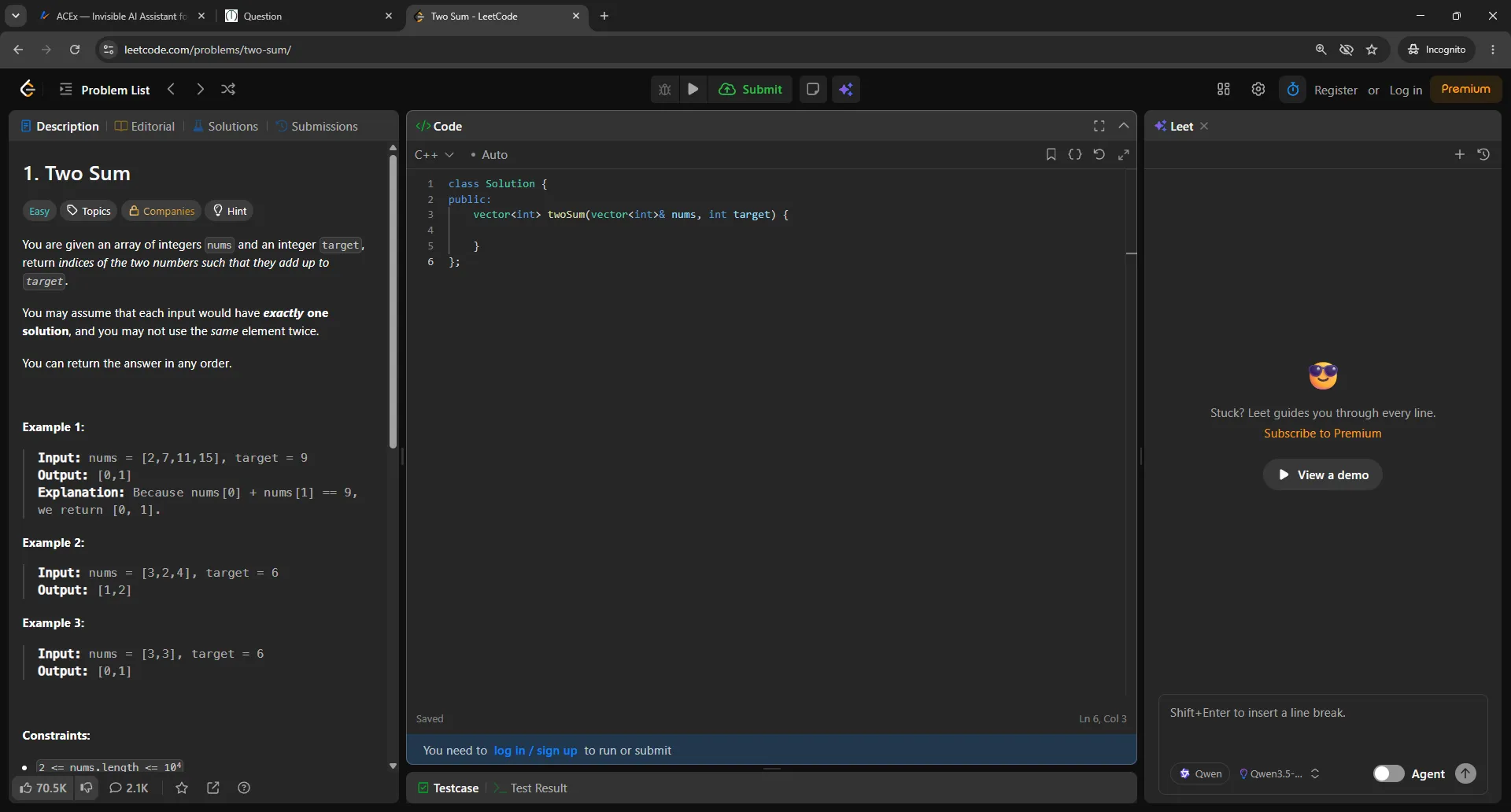
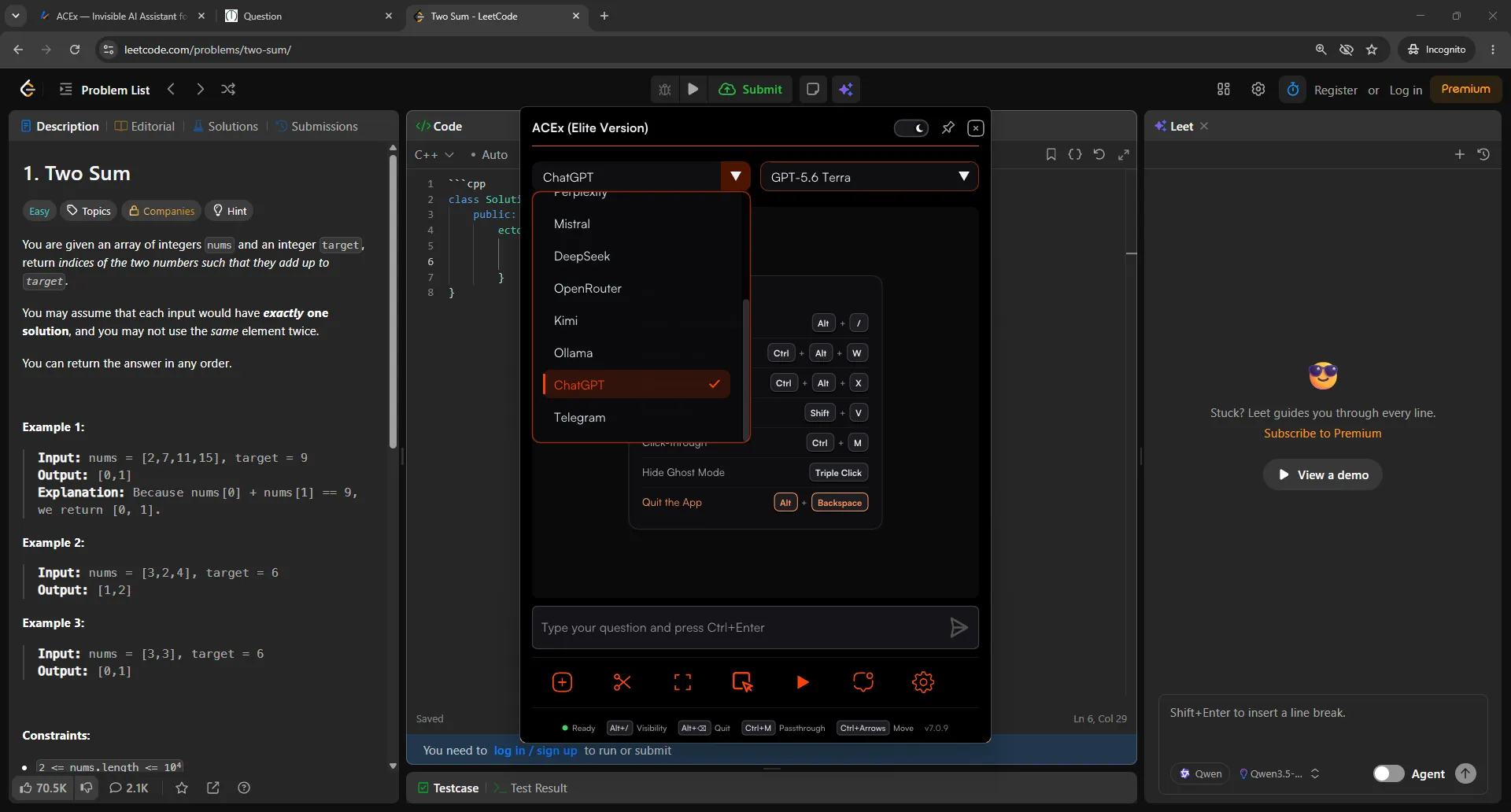
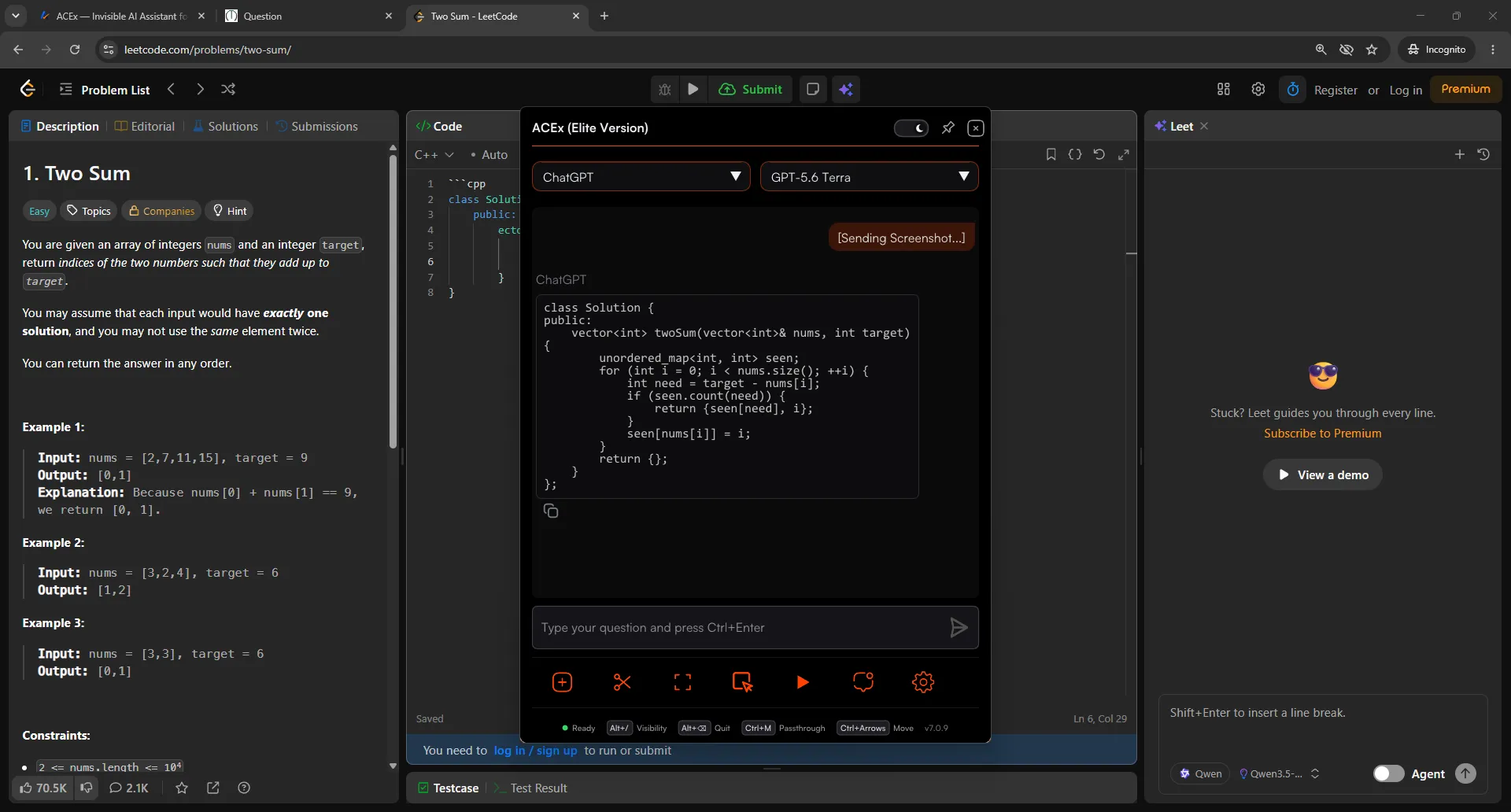
Your Screen, With and Without ACEx
A side-by-side look at the ACEx overlay on a regular desktop.
Universal Compatibility
Works across your desktop apps
ACEx runs as an overlay on your own machine and works with the apps you already use.
See It In Action
Watch the full setup guide.
See how to install, configure, and use the ACEx overlay.
Core Features
See how it works.
A toolkit built to give you an edge without being detected.
Live Telegram Chat
Chat with support on Telegram right from the ACEx overlay. Send screenshots and get replies back.
Quick Capture
Capture any question instantly without switching applications. Simply hold your hotkey, select the region, and ACEx does the rest.
Humanized Auto-Typer
Never get caught pasting. Customize your typing speed, jitter, slip rate, and fatigue. It makes realistic typos and naturally backspaces to correct them. Press CTRL at any time to instantly pause or resume typing.
Ghost Mode
Get AI answers without opening the main overlay. Choose Attach to keep the answer window tracking with your cursor, or Detach to place it anywhere on your screen.
Built-in Browser
ACEx features a fully built-in web browser. Search Google, browse documentation, and access the entire internet right inside the overlay.
Flexible Pricing
Choose the right plan for you.
Whether you need a quick weekend pass or unlimited monthly access, we have a tier that fits your needs.
Pro and Elite unlock the full ACEx Windows app. ACExInterview is free for everyone.
Free Trial
Try it before you commit.
- 10-minute session limit
- Test all 10+ Premium AI Models
- Experience the ACEx Overlay
- Test humanized auto-typing
Pro Access
Full toolkit with your own API keys (BYOK).
- Unlimited session duration & daily access
- Access to all 10+ Premium AI Models
- Chat, Agent & Ghost Modes
- Advanced Mouse/Hotkey Gestures & OCR Capture
- Humanized Auto-Typer & Window Opacity Control
Elite Access
Most popularSponsored models ready instantly — no API key setup.
- ACEx Sponsored AIIncludes ACEx Expert, Smart & ChatExpert — max strength for hard problemsSmart — strong reasoning, fast accurate answersChat — quick talk & simple answersNo API key setup. Works even when AI sites are blocked.
- Works when ChatGPT and AI sites are blocked
- School & college network friendly
- Direct, instant support
- Includes everything in Pro
- No API keys to buy, paste, or configure
Limits included · fair use applies
Get EliteLite Access
Pro by the day · India onlyEverything in Pro, for exactly the days you need: the full ACEx Windows app with no session limit. When your days run out, the app closes just like the free trial.
- Full ACEx Windows App (Pro features)
- Chat, Agent & Ghost Modes
- No 10-Minute Session Limit
- 10+ Premium AI Models (BYOK)
- Humanized Auto-Typer & OCR
- Pay Only for the Days You Need
Fixed pricing map: ₹349 for 1 day
All transactions are processed securely. Subscriptions are subject to our Terms of Service, Privacy Policy, & Refund Policy.
Privacy & Control
Built with privacy in mind.
You stay in control.
ACEx keeps your chat history on your own device. ACExInterview keeps only the files and sessions you add, and you can delete them whenever you like. Read our Privacy Policy.
Desktop Overlay
Runs as a transparent overlay on your own screen, with hotkeys to show or hide it.
Overlay Transparency
Dynamically adjusts transparency so you can see your editor underneath.
You Control Your Data
Delete your ACExInterview files and sessions from the dashboard any time, or ask us to delete your account.
Hotkey Controls
Show, hide, and move the overlay with keyboard shortcuts so it stays out of your way.
Questions & Answers
Frequently Asked Questions
What products does ACEx offer?
ACEx is a family of AI tools that all run on one account. ACEx is our flagship Windows desktop overlay. ACExInterview is a free real-time AI interview assistant. Explore each one from the Products menu.
My antivirus is flagging ACEx. Is it safe?
Yes, it is perfectly safe. Because ACEx uses system integrations like global hotkeys and overlay rendering to display reference notes, some antiviruses may incorrectly flag it. This is a common false positive for desktop productivity overlays. You can whitelist the executable in your antivirus settings to proceed.
What happens to my data?
The ACEx desktop app keeps your chat history on your device. ACExInterview stores the resumes, documents, and sessions you add so you can reuse them, and you can delete them at any time. See our Privacy Policy for the details.
How does the guided typing/pasting utility work?
ACEx includes a text prompter that can input search queries and notes into your workspace automatically, helping you paste long formulas or coding syntax quickly and accurately without manual typing mistakes.
Can I share my ACEx account or use it on multiple devices?
No. To protect account integrity and prevent unauthorized credential usage, each subscription is hardware-locked to the first device used to log in. Sharing accounts is strictly prohibited. If you upgrade your computer or need to reset your bound hardware lock, please email support@acex.wtf.
Get Started
Practice smarter.
Walk in prepared.
Start free with ACExInterview, or practice for exams with the ACEx overlay.
ACExInterview is Free · ACEx Free 10-Minute Sessions